System Updates
May 10 - 16
New
Nothing New This Week
Improved
Metal Buy Export Now Includes Notes Column
A new Notes column has been added to the Metal Buy Export.
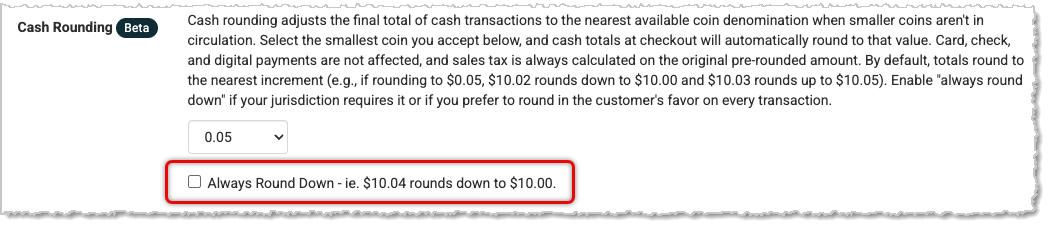
Setting for Cash Rounding to Always Round Down
A new setting lets you choose to always round down on cash transactions when Cash Rounding is enabled. For example, a $50.04 total rounding to the nearest $0.05 would round to $50.00 instead of $50.05. This setting is off by default and lives under Settings > General at the bottom of each store location.
Sales Comparison Report Mobile View ImprovedWe have improved filter placement, scrolling, and table layout on the Sales Comparison Report for the mobile view.
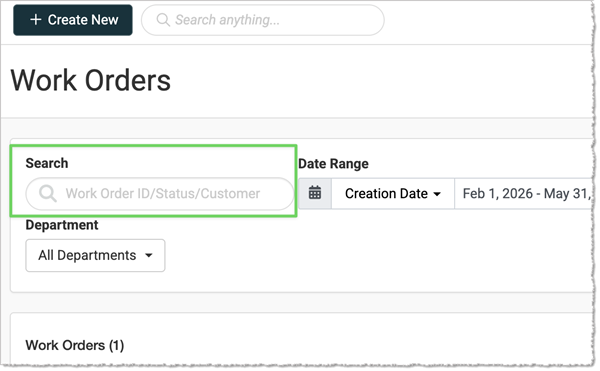
Work Order List Page Search ExpandedThe search field on the Work Order list page now searches by Work Order title, description, summary, material/service names, and other keywords within Work Order details — not just customer name and Work Order number.
Fixed
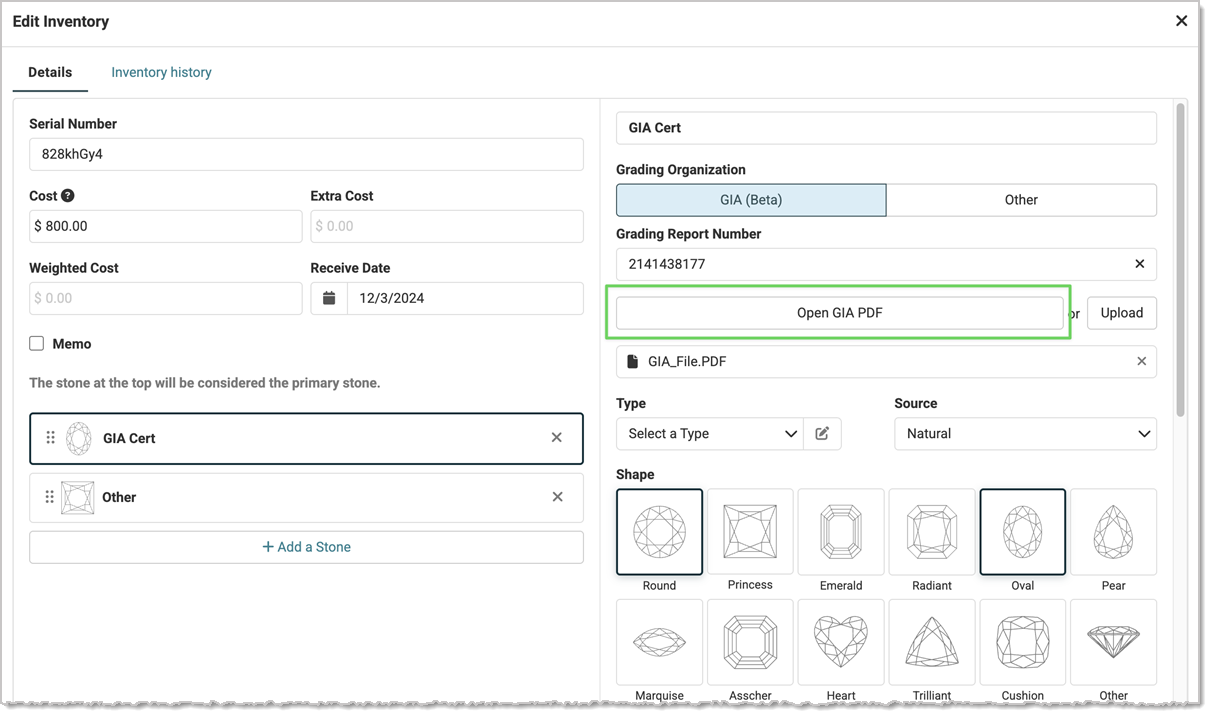
GIA URL Not Displaying Correctly in Inventory Page
We fixed the URL that appears after adding a GIA report number to serialized inventory. The link was displaying incorrectly and leading to an error page. Because the URL expires after a set time, the text field has been replaced with a button that refreshes the link when clicked.
Geller Blue Book Flat Charge Not Calculating CorrectlyWe have fixed an issue where certain Geller services with a flat charge up to a quantity threshold were not calculating as flat charges. Those services now calculate correctly.
Opt-In Email Confirmation Link Leading to Invalid Redirect PageWe resolved an issue where clicking the confirmation link in a newsletter opt-in email displayed an “invalid redirect URL” error, preventing customers from completing the opt-in process.
Website Carousel Padding Being Overwritten by Margin ValueWe've fixed an issue where setting different padding and margin values on website Carousel modules caused the padding to be overwritten by the margin value on save. This applies to the Carousel, Featured Content, Slideshow, Blog, Content, and Navigation modules.
Transaction Discount Calculated Incorrectly on Sale-Price ItemsWe fixed an issue where applying a transaction discount incorrectly added a small extra discount to sale-price items, causing the transaction total to be off by a few cents.
Receiving Order Duplicating Inventory When CompletedWe've resolved an issue where completing an RO would, in some circumstances, result in double inventory being added to each product.
Saving a Receiving Order and Saving a Product in Simultaneous Sessions Causes Inventory DeletionWe corrected an issue that occurred when two users worked in the system at the same time — one completing an RO, and the other editing and saving serialized inventory for products on that RO. The system now displays a warning if serialized inventory has been updated via RO while the Edit Product page was open.
Web Checkout Tax Calculations Inconsistent With RegisterWe fixed an issue where tax calculations in web checkout were inconsistent with Register calculations due to the way line items were rounded.
Work Order Printout Has Multiple Spacer LinesWe have fixed an issue where printing a Work Order with multiple jobs added extra spacer lines between each job — and the number of lines grew with each additional job added.
Inventory Report Export FailingWe've resolved an issue where attempting to export the Inventory Report instantly threw an error, preventing the export from completing.
Special Order Full Deposit Option Not Recalculating if Price Is AdjustedWe resolved an issue in Special Orders where selecting a full deposit requirement and then updating the price of one or more items did not update the deposit amount to reflect the change.
Join the DiscussionHave you joined the
Jewel360 User Forum yet? You can
take a look here!
That's all for this week. Thank you for being part of the Jewel360 family. Take care, we love you!!


 May 18, 2026
Is this page helpful?
×Help us improve our articles